03 / THE DETACH ENDING
The window leaves.
The process stays.
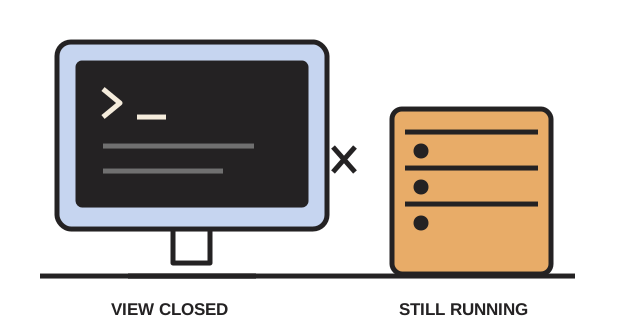
After detaching and waiting, our file grew from 6 to 13 lines. Every line still came from process 94795. Closing the client did not end this program.
A short story about leaving Herdr
To exit the Herdr interface without stopping its panes, press Ctrl + B, release, then q. That is detach.
Default keys · Herdr 0.9.5 · The machine must stay running.
Scene 1 of 4 · Before you leave
01 / BEFORE YOU LEAVE
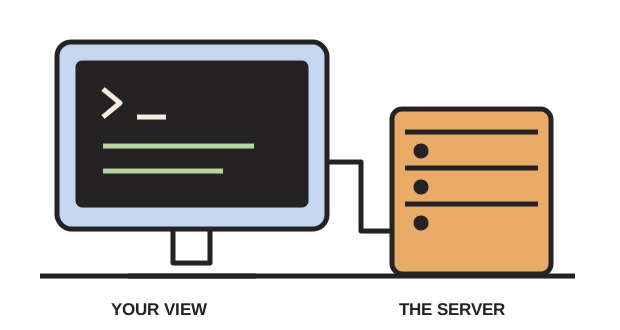
“I want to close this view. Do I have to stop the job?”
Our original test program wrote a heartbeat every quarter-second. Six lines had been written when we detached. This is a drawing of the experiment, not a live terminal.
02 / CHOOSE THE NEXT MOVE
The buttons reveal recorded outcomes. They do not send commands to your computer.
Custom keys can change the shortcut. Open Herdr’s help with its configured prefix, then ?, to check your active bindings.
03 / THE DETACH ENDING
After detaching and waiting, our file grew from 6 to 13 lines. Every line still came from process 94795. Closing the client did not end this program.
04 / WHEN YOU COME BACK
Reopen the same session. For the default session, run herdr. For a named session such as our proof experiment:
herdr --session proofWe reattached to the same terminal identity and the same running process. You still need to inspect your own job’s output to know whether it succeeded.
Illustrations of a recorded native experiment.
Our test kept the host awake and the server running. It says nothing about a laptop shutting down, a remote machine losing power, or a command failing while you are away. Save actual work in its application.
Typing exit asks the shell to finish; it is not the detach shortcut. Stopping a Herdr server ends its pane processes. A familiar-looking workspace after restart does not prove the old job survived.
Detach: Ctrl+B, then q closed the client; heartbeat lines continued under the same PID. Reattaching kept that PID.
Interrupt: Ctrl+C stopped our Python heartbeat; its shell and pane remained. Starting the program again produced a new PID.
Stop and restart: stopping the test session ended the heartbeat. Restart restored two panes in the same directory, with new terminal identities and fresh shells. The heartbeat did not restart.
Drawings and measurements by StillShell. Read the full fieldwork and repeat the experiment. Key reference: Herdr session state.